Internet › 5G Home Internet
Best 5G Home Internet providers for seniors
5G Home Internet providers like AT&T, Verizon, and T-Mobile offer a wireless plug-and-play setup, which is ideal for seniors.

Reviewed by Linda Hoffman Updated June 2026 11 min read
Ask our senior expert if 5G Home Internet is right for you
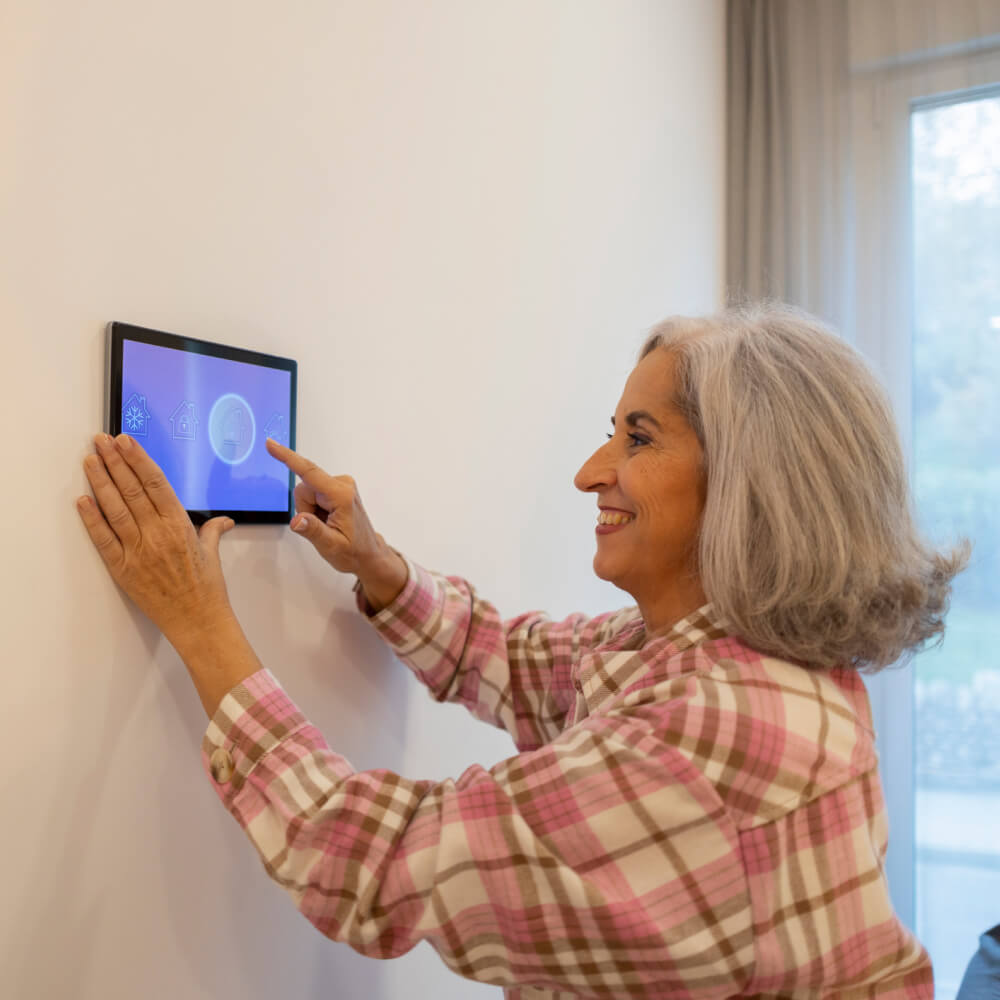
How 5G home Internet simplifies life for senior citizens
5G Home Internet skips traditional wiring altogether, delivering a wireless signal from a nearby cell tower straight to a receiver in your home. Here’s why that simplicity appeals to a lot of older adults.
Plug-and-play, no clutter

02 · PLANS & PRICING
Top 5G Home Internet plans for seniors
Switching to 5G Home Internet could be your gateway to faster, reliable, and more affordable broadband. Check out the best residential plans from top-rated 5G internet providers.
Editor’s Choice

AT&T Internet Air
Speed
Price
Price lock
None
Show plan details
Why choose it
- Straightforward pricing — no price increase at 12 months
- Equipment fees included in the plan
- No annual contract
Watch out for
Watch Out For: Taxes & Fees— Up to $99 installation fee may apply, plus tax where applicable.
AutoPay & Paperless bill req’d.
Not available in all areas
*Price after $10/mo AutoPay discount (w/in 2 bills). Paperless billing req’d. Monthly State Cost Recovery Charge in TX, OH, NV applies.

Show plan details
Why choose it
- No credit checks or contracts
- Easy self-installation
- Same-day shipping (conditions apply)
Watch out for
Watch Out For: 100 GB data cap (speeds are slowed down after you have used this much data)
*In select areas
15G Internet Plans do not provide guaranteed upload or download speeds and can only be used at the Service location. Performance depends on the customer’s device and the network technology available at the customer’s Service address. Depending on your 5G Internet Plan, you may purchase additional data, change your Plan or EarthLink may temporarily slow data speeds for various reasons including if the network is busy.

Verizon 5G Home
Speed
(typical 25–85 Mbps)
Price
Price lock
Available
Show plan details
Why choose it
- Hassle-free setup
- Router rental included in price of plan
- 3-year price guarantee1
Watch out for
Price change without autopay & a Verizon mobile phone plan.
w/ Auto Pay & any Verizon mobile phone plan

Rely Home Internet
Speed
170 – 498 Mbps
Price
w/ voice line
Price lock
Available
Show plan details
Why choose it
- Easy self‑install in 15 minutes
- High-performance 5G Gateway included
- No annual contracts or data caps
Watch out for
Watch Out For: Price change without autopay & a mobile phone plan.
*w/AutoPay and a voice line. Plus taxes and fees.
Why 5G over conventional broadband
Top reasons to choose 5G Home Internet
- Installation and setup are quick and easy — no need for calling a technician or running wires.
- 5G fixed-wireless services are widely available and budget-friendly.
- It’s a future-proof technology that is growing and getting better over time.
For clients who’ve retired somewhere scenic and rural, where fiber and cable haven’t reached, I present 5G Home Internet as the more practical option over satellite, every time.
It’s easier to set up, more portable if they ever move, and reaches speeds up to around 300 Mbps – good for general browsing, video streaming and keeping an eye on the property with a security camera.
Pricing tends to run a bit higher than cable, but bundling with a mobile phone plan can often bring the cost down significantly.

Senior Living & Digital Inclusion Expert · SeniorConnect
03 · 5G vs. traditional cable
How does 5G Home Internet compare to traditional cable?
If you’ve relied on cable internet for years, you may be wondering whether 5G Home Internet is worth considering. Cable internet is the tried-and-true option, using the same reliable wiring already in your home. 5G Home Internet is newer — no cables, just a small receiver you plug in, with no technician visit needed.
Below, we answer a few questions that might pop in your head like reliability, cost, and whether it’s good for streaming and video calls with family.
Q1Is 5G Home Internet as reliable as wired internet?
Q2 Is 5G Home Internet cheaper than other broadband options?
5G Home Internet is as affordable as other conventional broadband options. Prices are comparable to cable internet service, if not cheaper. Since 5G for home doesn’t require expensive equipment or professional installation, you can save on initial expenses.
If you live in a rural / remote area that isn’t served by cable or fiber internet providers, 5G Home Internet can be the most budget-friendly option. It is much more affordable and faster than satellite internet, which is the primary broadband service for rural consumers.
Q3 Is 5G Home Internet good for streaming and video calling?
5G Home Internet offers decent performance suitable for streaming, video calling, and other common online activities. For the most part, you can enjoy uninterrupted calls and videos in standard (SD) or high definition (HD).
Sometimes, internet speeds can slow down due to high network traffic or when too many devices are connected to the same network during peak usage hours. When this happens, you can lower video quality to prevent buffering or screen freezing.
Consult an expert about switching to 5G Home Internet
Free, friendly, no-obligation advice
04 · Step-by-step setup
How to install and set up 5G Home Internet
Installation and setup of 5G Home Internet is a lot easier and quicker compared to other connection types. Anyone without technical knowledge can do it in under 30 minutes, so calling in a professional is unnecessary.
Unlike wired internet, 5G Home Internet does not require running cables through walls, so installation will not alter your home in any way. It doesn’t matter what kind of broadband service you were using before; the plug-and-play setup makes it adaptable for any space.
Step-by-step guide for setting up 5G Home Internet
The process may vary slightly by carrier — most providers include a manual or offer an online video tutorial. Here’s an overview:
Order your 5G Home Internet kit and unbox it to find the following items: 5G gateway, power adapter, and guidebook / manual.
Place the gateway in an elevated spot, preferably near a window.
Take the power adapter and plug one end into the router and the other into the nearest electricity outlet.
Download your carrier’s mobile app to pair and activate your 5G gateway.
You may have to scan a QR code at the bottom of the gateway, then follow the instructions on screen.
Once the gateway is activated, connect to the Wi-Fi using the default network name and password.
You may relocate or reposition the gateway to test performance and find the best spot.

What if I can't set it up by myself?
While 5G Home Internet self-setup is usually straightforward and doable, the service provider’s helpline is always there for assistance in case you can’t figure something out or run into an error.
A customer support representative can guide you through the process on call and help you get connected. Some providers offer professional installation as well, so you can request a technician to visit your address; a professional installation fee may apply to cover transportation and labor costs.
05 · Speeds & performance
Are 5G Home Internet speeds any good?
Typical 5G home speeds
Excellent for browsing, news, casual streaming, and video calls with family.
Typical 5G Home Internet speeds fall between 100 and 300 Mbps, which is excellent for seniors. Average users need the internet for basic browsing, watching news, casual streaming, and video calling family — all of which can be done smoothly even when speeds are well below 100 Mbps.
To ensure excellent speeds and overall performance, choose a service provider with good cellular coverage in your area. Most 5G carriers have coverage maps on their website, so you can enter your zip code to confirm availability in your area.
P.S. 5G speeds vary by distance from the nearest cell station and may fluctuate due to signal interference caused by physical barriers, extreme weather, and even running kitchen appliances like microwaves. Speeds are also affected by network congestion during internet “rush hours” in the evening.
Talk to an expert about your internet speed needs and find a suitable plan
We’ll match you to the right provider for your area
06 · If something goes wrong
What should I do if 5G Home Internet stops working?
Your 5G Home Internet can stop working for a number of reasons — and most of the time the issue can be resolved at home without technical input. Work through these steps in order.
Check the gateway is on
Start by ensuring that your 5G gateway is powered on and that the lights appear as usual.
Reboot & inspect the cable
Reboot the gateway and check if everything returns to normal. If it won’t turn on, see whether the power cable is frayed or damaged — likely if you have pets or toddlers in the house.
Check for an area outage
If nothing is wrong at your end, your area may have a temporary outage. Contact your provider’s customer service to ask whether service is down or briefly suspended for maintenance.
Request a technician
Once it’s verified there’s no outage and common DIY fixes are in vain, a technician will be sent to your address to look into the matter and restore your connection.


Researched & written by the SeniorConnect Editors
Our methodology
Reviewed by Linda Hoffman & Sarah Howard · 250+ hours of testing
We know that finding a reliable internet plan isn’t easy, so our team did most of the hard part for you. We dedicated over 250 hours researching and testing several top providers in order to narrow down the plans that are actually worth considering for our senior customers. Here is how we shortlisted our offerings:
- We focused on what matters most: Transparent pricing, consistent speeds, reliable connection, easy set-up, and effective customer support.
- We relied on personal experience: Instead of collecting third-party data, our team tried, evaluated, and rated different services using real-life first-hand experiences.
- We prioritized value: Our team spared no effort to find a balance between cost and performance, so you don’t have to compromise on one to get the other.
Primary sources used for data collection:
Do you wish to participate in our consumer surveys?
Keep exploring
Related guides worth a look
Not sure if 5G is right for your home?
Tell us your zip code and what you do online. Our senior advisors will check coverage, compare providers, and help you place an order — free, with no obligation.